
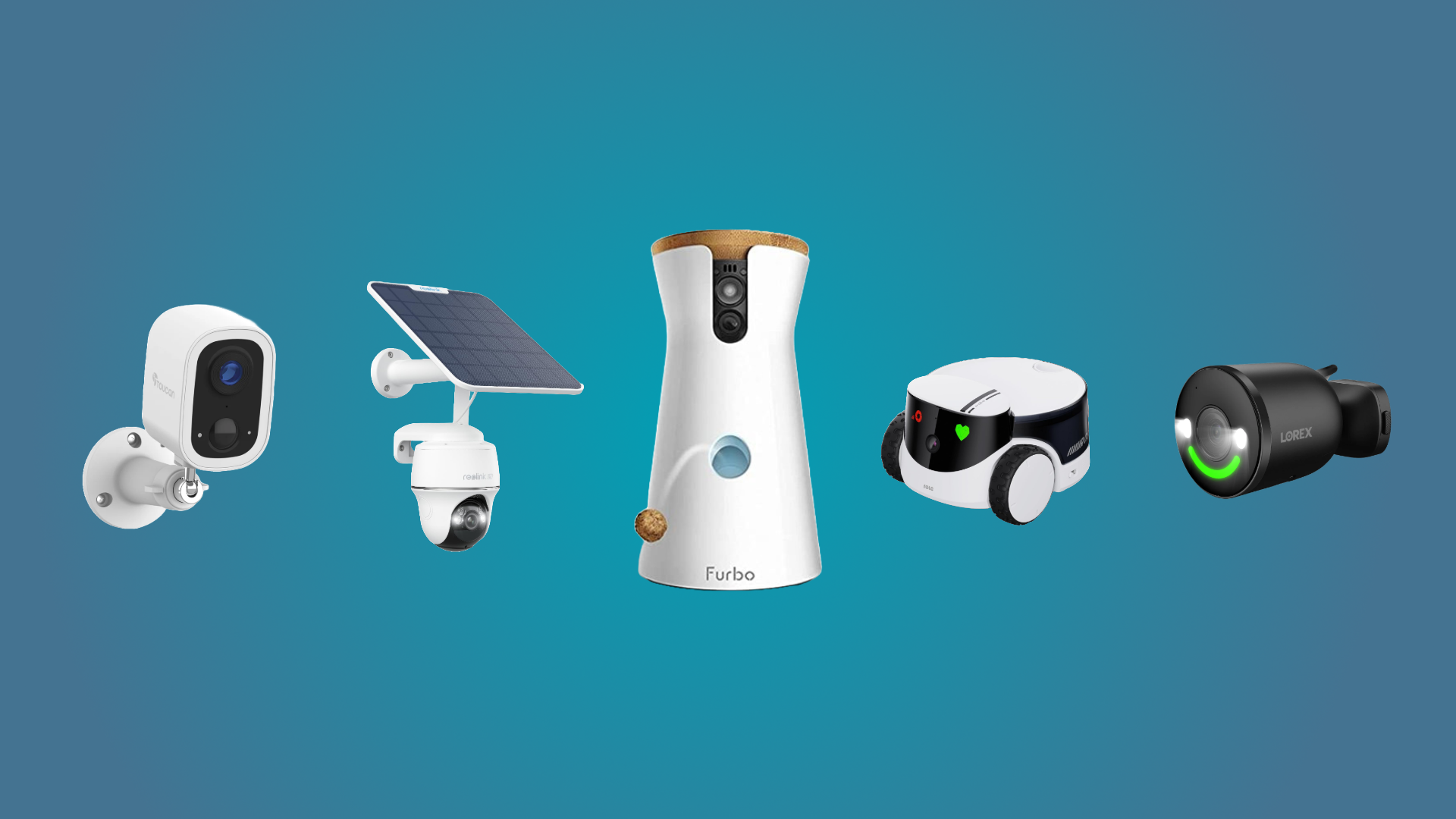
The Furbo 360° Dog Camera is the best pet monitoring camera for most dog owners who want smart alerts and two-way video.
Choosing the best pet monitoring camera is not only about sharp video. You also need reliable alerts, clear night vision, safe design, easy setup, and features that fit your pet’s habits. After comparing popular models and studying how pet cameras work in real homes, this guide will help you choose with confidence.
.webp)
What Is the Best Pet Monitoring Camera?
For most dog owners, the Furbo 360° Dog Camera is one of the strongest all-around choices. It offers a wide rotating view, two-way talk, treat tossing, barking alerts, and activity notifications through its smart features.
However, the best pet monitoring camera depends on your pet and your budget. A cat owner may prefer a camera with laser play or motion tracking. Someone watching an anxious dog may value sound detection and calm two-way communication more than treat tossing.
Here are the top choices by need:
• Best overall for dogs: Furbo 360° Dog Camera
• Best for cats: Petcube Cam or Petcube Bites
• Best budget choice: Wyze Cam v4
• Best for privacy: eufy Pet Camera 360°
• Best for activity tracking: Petcube with smart health features
• Best without a monthly fee: A basic eufy or Wyze model with local storage
The best pet monitoring camera should solve a real problem. It might help you check whether your dog is calm, see if your cat is eating, or confirm that a pet sitter arrived.
:max_bytes(150000):strip_icc()/PEO-kasa-indoor-security-camera-leticia-almeida-0490.jpg-491e775efaea452686738faaa4cffa0e.jpg)
How We Choose the Best Pet Monitoring Camera
A good pet camera should do more than stream a picture. It should help you understand what your pet is doing when you are away.
I compare pet cameras by looking at daily use rather than just the feature list. A camera may claim to have artificial intelligence, but that feature is less useful if alerts arrive late or the app is hard to use.
These are the main factors to consider:
Video quality
Look for at least 1080p video. This level is clear enough to identify your pet, check a food bowl, and notice unusual behavior.
Higher resolution can help in large rooms. Still, a 2K camera may use more data and storage than a 1080p model.
Viewing area
A wide angle is useful when your pet moves around one room. A pan and tilt function is better if your pet uses a large space.
A 360 degree camera can reduce blind spots. It cannot see through furniture, walls, or closed doors, so placement still matters.
Night vision
Many pets are active at night. Infrared night vision lets you check the room without turning on a bright light.
Test the night view before leaving your pet alone. Some cameras show glare when placed near glass, mirrors, or shiny floors.
Audio quality
Two way audio can help you speak to your pet. It can also let you hear barking, whining, scratching, or other unusual sounds.
Clear audio matters more than loud audio. A harsh speaker may frighten an already nervous pet.
Smart alerts
Smart alerts can tell the difference between general motion and a person, pet, or sound. Some cameras can detect barking, crying, or unusual activity.
These alerts are helpful, but they are not perfect. A camera may mistake a moving curtain for a pet or miss a quiet health problem.
Privacy and security
A pet camera connects to your home network. That means account security matters.
Choose a brand that offers account protection, regular software updates, encrypted connections, and clear privacy settings. Use a unique password and turn on two factor authentication when available.
Monthly fees
Some advanced features require a subscription. These may include cloud recording, longer video history, smart alerts, or health reports.
Before buying, check what works without a plan. The lowest camera price may cost more over time if key features are locked behind a monthly fee.

Best Pet Monitoring Camera Overall: Furbo 360° Dog Camera
The Furbo 360° Dog Camera is a strong choice for dog owners who want a full set of smart features. Its rotating view helps follow movement across a room, while the treat dispenser adds a useful way to interact from work or while traveling.
Its main features often include:
• 360 degree viewing
• Two way audio
• Treat tossing
• Bark alerts
• Smart activity alerts
• Night vision
• Mobile app control
The treat feature can be fun, but it should not replace direct care or training. Use small treats, and test the dispenser while you are home. Some dogs may become frustrated if treats jam or if they expect food every time they hear the camera.
The Furbo is best for dogs that enjoy food rewards and for owners who want smart notifications. It may not be the best fit for cats, pets that guard food, or homes where a monthly plan is not acceptable.
A key lesson from comparing pet cameras is that a moving camera can be more useful than a higher resolution camera. Seeing the whole room often matters more than seeing one corner in extreme detail.
Best Pet Monitoring Camera for Cats: Petcube
Petcube makes several cameras designed for cats and dogs. The Petcube Cam is a simple choice for video and communication, while Petcube Bites models may add treat dispensing.
Petcube cameras are useful for cat owners who want to:
• Check whether a cat is using the litter box area
• Watch food and water zones
• Speak to a cat during the day
• See if a cat is hiding or acting normally
• Use a laser or treat feature, depending on the model
Cats can be harder to monitor than dogs. A cat may sleep in a hidden place for hours, then become active at night. A wide angle camera helps, but two cameras may be better than one in a large home.
Place the camera near an open area rather than directly beside a litter box. Cats need privacy, and the camera should not become a source of stress.
Petcube may require a subscription for advanced video history or smart alerts. Check the current plan details before purchase because features can change by model and region.
Best Budget Pet Monitoring Camera: Wyze Cam
The Wyze Cam line is a popular budget option for basic pet monitoring. Many models provide clear video, motion alerts, night vision, and two way audio at a lower starting price than premium pet cameras.
A Wyze camera can work well if you mainly want to:
• Check whether your pet is safe
• View a room from your phone
• Hear barking or other sounds
• Receive movement alerts
• Record short clips
The main tradeoff is that budget cameras may offer fewer pet specific tools. You may not get treat tossing, detailed pet health tracking, or advanced behavior reports.
Some Wyze features may require a subscription, while other models support local storage through a memory card. Read the storage rules carefully. Local recording can reduce monthly costs, but it may require extra setup.
For many homes, a basic camera is enough. You do not need a pet branded device if your main goal is to see and hear your pet.
Best Pet Monitoring Camera for Privacy: eufy Pet Camera 360°
The eufy Pet Camera 360° is worth considering for people who want wide coverage and local storage options. Depending on the model, it may offer pan and tilt control, pet tracking, two way audio, and a built in memory card slot.
Local storage can be useful because video may stay inside your home instead of being stored entirely in the cloud. However, local storage is not a complete privacy guarantee. Your account, app, network, and device firmware still need protection.
Use these privacy steps with any pet camera:
Change the default password.
Use a unique password that you do not use elsewhere.
Turn on two factor authentication.
Install camera software updates.
Place the camera away from private areas.
Turn the camera off when monitoring is not needed.
Review who has access to the camera account.
No internet connected camera is risk free. A camera with local storage may reduce exposure, but it still connects to your home network.
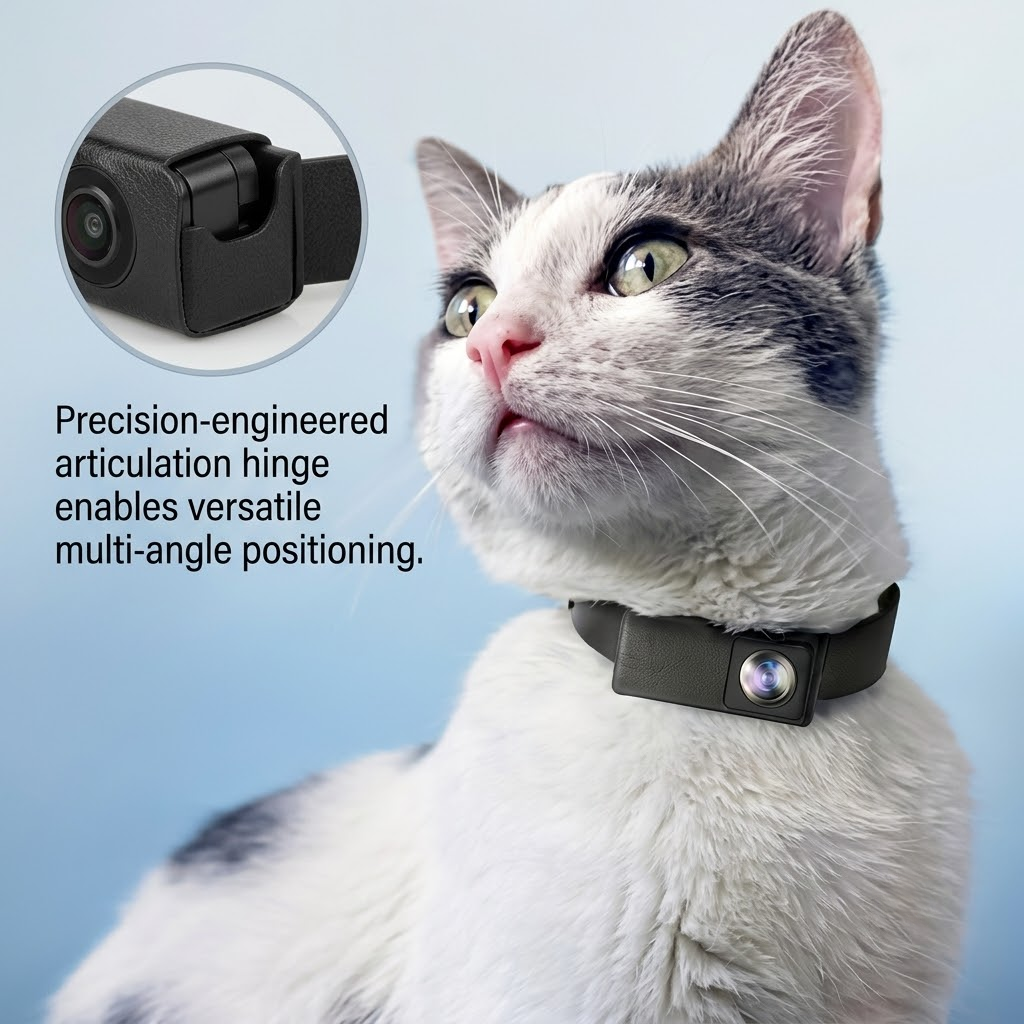
Pet Camera Features That Matter Most
The best pet monitoring camera is not always the model with the longest feature list. The right features depend on your pet’s age, health, behavior, and home layout.
Two way talk
Two way talk lets you hear your pet and speak through the camera. It may calm some dogs, but it can confuse others.
Test your voice through the camera while you are home. If your dog searches for you or becomes more upset, use the audio feature less often.
Bark and sound alerts
Sound alerts can notify you when a dog barks or a pet makes repeated noise. They may help identify separation anxiety or a problem in the home.
Do not treat an alert as a diagnosis. A barking alert cannot tell you whether your dog is scared, bored, excited, or reacting to a sound outside.
Treat dispensers
Treat dispensers create interaction during the day. They can also support simple reward training.
Use them carefully with pets that eat too fast, guard food, have allergies, or need a strict diet. Never use a treat dispenser as a replacement for meals, exercise, or human care.
Motion tracking
Motion tracking can follow a pet as it moves. This is most useful in open rooms.
Tracking may fail when your pet hides under furniture or moves behind an object. A fixed camera aimed at a food bowl or crate can sometimes provide more useful information.
Activity and health tracking
Some premium cameras claim to track sleep, movement, eating, or bathroom habits. These tools may help you notice a change in routine.
They are not medical devices. If your pet stops eating, has trouble breathing, vomits, or acts weak, contact a veterinarian instead of relying on the camera app.

How to Set Up a Pet Monitoring Camera
Good placement can make an average camera work well. Poor placement can make an expensive camera nearly useless.
Follow these steps:
Choose a stable surface or secure wall mount.
Aim the camera at the main pet area.
Keep cords away from chewing pets.
Avoid placing the camera where your pet can knock it over.
Test the view during both day and night.
Check the Wi Fi signal at the camera location.
Turn on only the alerts you need.
Watch your pet’s reaction for several days.
Place the camera high enough to prevent damage, but not so high that the view becomes too distant. A camera aimed at the floor may miss your pet’s face. A camera aimed too high may show only the top of the room.
Always secure loose cables. A curious puppy or cat may chew through a cord, which can cause injury or damage.
Common Mistakes to Avoid
Many buyers focus on price and image quality while overlooking daily convenience. These mistakes can reduce the value of the best pet monitoring camera.
Buying without checking subscription costs
A camera may look affordable but require a monthly plan for important alerts or video history. Add the first year of subscription costs to the purchase price.
Expecting the camera to replace a sitter
A camera lets you observe your pet. It cannot provide water, medication, exercise, comfort, or emergency help.
For long absences, arrange a trusted sitter, dog walker, or boarding plan.
Relying on alerts alone
Alerts can fail because of poor Wi Fi, app problems, background noise, or limited detection rules. Check the live feed from time to time.
Using the camera to punish a pet
Do not shout through the speaker to punish barking or destruction. This may increase fear and confusion.
Use the camera to learn patterns. Then address the cause with exercise, training, enrichment, or professional help.
Ignoring your pet’s response
Some pets feel comforted by your voice. Others become more anxious when they hear you but cannot find you.
Watch your pet’s behavior and adjust the way you use the camera.
Are Pet Monitoring Cameras Worth It?
A pet camera can be worth the cost if it gives you useful information and peace of mind. It is especially helpful for new pets, senior animals, pets with medical needs, and dogs that show signs of separation anxiety.
The camera can help you notice patterns, such as:
• Barking soon after you leave
• Repeated pacing
• Scratching at doors
• Long periods of hiding
• Changes in sleep
• Missed meals
• Unusual nighttime activity
Still, a camera has limits. It cannot measure pain, diagnose illness, or guarantee that your pet is safe. Think of it as a window into your home, not a substitute for care.
A camera may also increase worry if you check it every few minutes. Use alerts as a tool, not as a source of constant stress.
Pet Monitoring Camera Comparison
The following comparison can help narrow your choice.
| Camera | Best for | Main strengths | Possible drawbacks |
|---|---|---|---|
| Furbo 360° Dog Camera | Dogs | Smart alerts, rotating view, treat tossing | Higher cost and possible subscription |
| Petcube Cam | Cats and dogs | Simple video, audio, compact design | Advanced features may cost extra |
| Petcube Bites | Treat based interaction | Treat dispenser and two way communication | Not ideal for every diet or pet |
| Wyze Cam | Budget buyers | Low starting price and basic monitoring | Fewer pet specific features |
| eufy Pet Camera 360° | Privacy focused homes | Wide view and local storage options | Setup and storage may need more attention |
Prices, plans, and features can change. Confirm the current details on the manufacturer’s product page before buying.
The best pet monitoring camera is the one that you will set up correctly, check often enough, and use safely.
How Much Does a Pet Camera Cost?
Basic indoor cameras often cost less than premium pet cameras. The final cost depends on video quality, storage, smart alerts, treat functions, and subscription plans.
Consider these costs:
• Camera purchase price
• Monthly or annual cloud plan
• Memory card for local storage
• Wall mount or replacement parts
• Extra cameras for more rooms
• Faster internet service if needed
A low cost camera with local storage may be the cheapest long term choice. A premium camera may be better value if smart alerts save you time or help you respond to a real issue.
Do not pay for features you will not use. If you only want to check a sleeping cat, treat tossing and advanced behavior reports may not be worth the added cost.
Frequently Asked Questions About What Is the Best Pet Monitoring Camera?
What is the best pet monitoring camera for dogs?
The Furbo 360° Dog Camera is a strong choice for dogs because it combines a wide view, two way audio, smart alerts, and treat tossing. A basic Wyze or eufy camera may be better if you want lower cost or fewer subscription features.
What is the best pet monitoring camera for cats?
Petcube is a good option for cats, especially if you want compact video, two way audio, or interactive features. A simple wide angle camera can also work well for watching food areas, sleeping spots, and litter box access.
Do pet cameras need Wi Fi?
Most smart pet cameras need Wi Fi for live viewing, alerts, and mobile app access. Some models can record locally during an internet outage, but remote viewing usually will not work without an active connection.
Are pet cameras safe?
Pet cameras are generally safe when cords are secured, the device is stable, and privacy settings are enabled. Keep the camera away from water, chewing pets, and areas where it could fall.
Do pet cameras require a subscription?
Some pet cameras work without a subscription for live video and basic alerts. Advanced tools such as cloud history, smart detection, and health reports may require a monthly or yearly plan.
Can a pet camera help with separation anxiety?
A pet camera can help you identify behaviors linked to separation anxiety, such as pacing, barking, or scratching. It cannot treat the condition, so ask a veterinarian or qualified behavior professional for help when symptoms are serious.
Conclusion
The best pet monitoring camera depends on what you need most. Furbo is a strong overall choice for dogs, Petcube works well for interactive cat and pet care, Wyze offers affordable basic monitoring, and eufy is worth considering for local storage and privacy focused use.
Before buying, compare video quality, viewing range, night vision, audio, alerts, storage, subscription costs, and security settings. Then place the camera safely and watch how your pet responds.
Choose a camera that supports real care rather than replacing it. Explore the models that match your pet’s habits, and share your experience or questions in the comments.
