
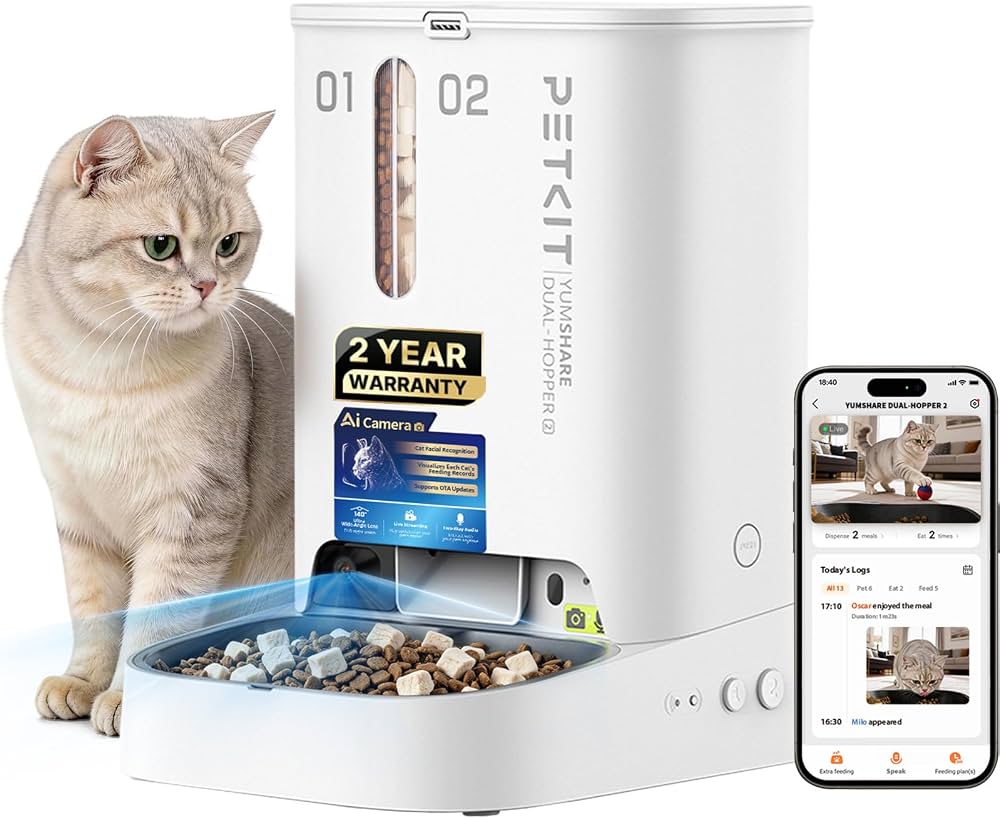
Yes, smart dog cameras can watch your pet remotely and release treats through a phone app.
Is There A Dog Camera That Can Dispense Treats? Yes, and today’s models do more than drop a snack. Many combine HD video, two-way audio, night vision, motion alerts, treat control, and cloud features in one device. I have found that the best choice depends less on having the most features and more on your dog’s size, habits, diet, and ability to knock things over.
This guide explains how treat-dispensing dog cameras work, what features matter, which limits to expect, and how to choose a safe model for your home. You will also learn how to use one without overfeeding your dog or turning every bark into a snack request.
Is There A Dog Camera That Can Dispense Treats?
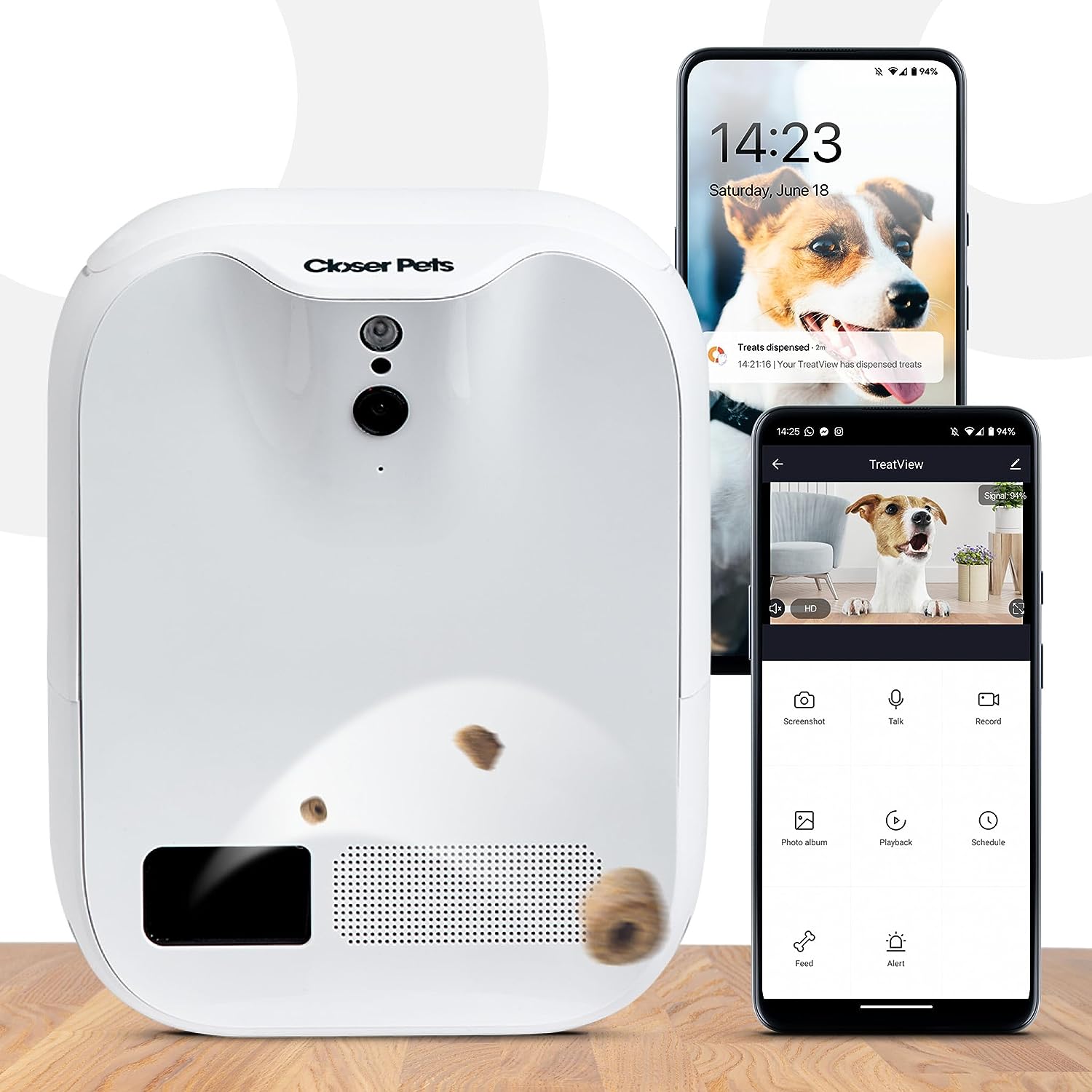
Yes. A treat-dispensing dog camera is a connected pet camera with a small food hopper and a motorized release system. You control it with a smartphone app, usually through Wi-Fi.
When you tap a button in the app, the camera releases one or more treats. Some models can also toss treats across the room, while others simply drop them into a tray below the unit.
Common examples in this category include products such as:
• Furbo dog cameras with treat tossing and remote monitoring
• Petcube cameras with built-in treat dispensers on selected models
• eufy Pet Dog Camera models with treat release functions
• SKYMEE and WOpet smart pet cameras with app-controlled food dispensing
Product names, features, and availability can change. Always check the current product page before buying, especially if you need a subscription-free camera or a specific treat size.
A dog camera that dispenses treats is not the same as an automatic feeder. An automatic feeder gives scheduled meals in larger portions. A treat camera is designed for small rewards, training, and interaction during the day.
How Does A Treat-Dispensing Dog Camera Work?
Most treat cameras connect to your home Wi-Fi. After you install the mobile app, you pair the camera with the network and place treats inside the storage chamber.
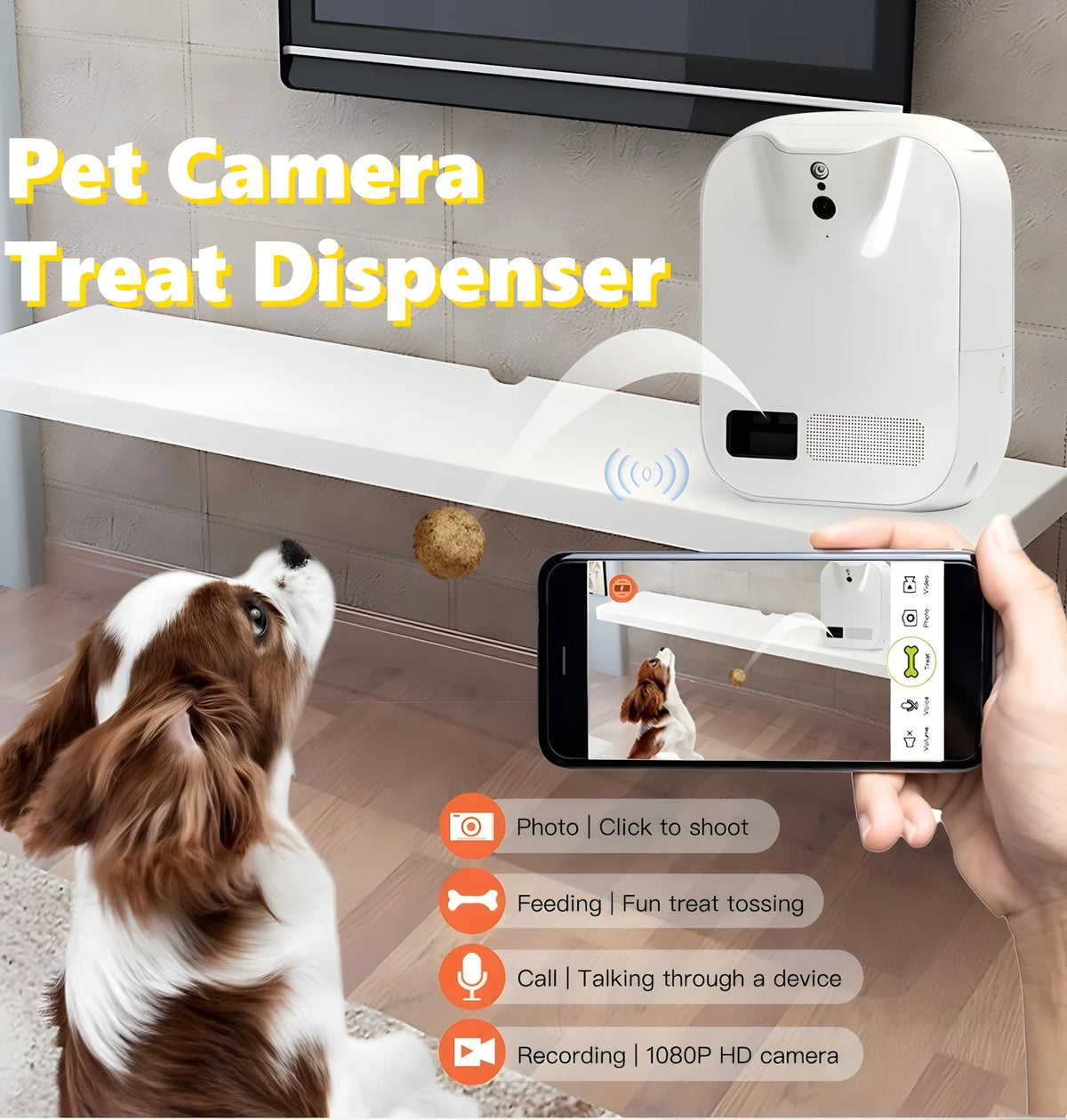
The internal motor then moves a small amount of food through a chute. Depending on the design, the treat may fall into a bowl or shoot several feet away.
The basic process looks like this:
Download the camera’s app.
Connect the device to your home Wi-Fi.
Add treats that match the recommended size.
Set the camera where your dog cannot reach or tip it over.
Use the app to watch, talk, record, or dispense a treat.
Some cameras support automatic treat schedules. Others let you release a snack only when you press the button. A few use artificial intelligence to detect movement, barking, or unusual activity, but these features are not always perfect.
In my experience with smart pet devices, setup is often the first real test. A camera may work well near the router but fail in a room with weak signal. Before judging the dispenser, test the camera from the exact place where your dog spends time.

What Features Should You Look For?
A good treat camera should be safe, stable, simple to use, and reliable when you are away. Fancy features are helpful, but they should not hide basic weaknesses.
Video quality and viewing angle
Look for at least 1080p video if you want to see your dog clearly. A wide-angle lens can show more of the room, while a pan-and-tilt camera can follow movement.
Useful video features include:
• Night vision for low-light rooms
• A wide viewing angle
• Digital zoom
• Live streaming
• Motion alerts
• Sound alerts
• Video recording
A high-resolution camera does not help much if the lens points at a wall or sits too low. Place it at your dog’s chest or eye level when possible.
Treat size and food compatibility
This feature is easy to overlook. Some dispensers accept only small, dry treats. Soft, sticky, large, or oily snacks may clog the chute.
Before buying, check:
• The maximum treat diameter
• Whether the machine accepts kibble
• Whether soft treats are allowed
• How much food the hopper holds
• Whether the app controls portion size
A treat dispenser that jams every few days will quickly become an expensive decoration. Test several treats before leaving it alone for a full workday.
Two-way audio
Two-way audio lets you talk to your dog through the camera. This can help some dogs feel calm, but it can confuse others.
Some dogs search the room when they hear your voice. Others become more excited because they think you are coming home. Try short sessions while you are still nearby.
Strong, stable design
A large or clever dog may push, chew, or tip a small camera. Choose a wide base, wall mount, or secure shelf placement if your pet is rough with objects.
A camera should also have a covered power cord. Loose cables can become a chewing risk, especially for puppies.
App quality and privacy controls
The app should be easy to open, quick to connect, and clear about when the camera is recording. Look for:
• Two-factor authentication
• Data encryption
• Clear privacy settings
• A physical lens cover or privacy mode
• Simple account deletion options
• Reliable firmware updates
Internet-connected cameras can collect video, audio, and account data. Use a strong, unique password and update the app when needed.

What Are the Benefits of a Dog Camera With Treats?
A treat camera combines remote observation with a small form of interaction. You cannot replace a walk or personal care with it, but it can make time apart easier.
It helps with training
You can reward calm behavior while watching from another room. For example, you might release a treat when your dog settles on a mat instead of barking at the window.
This works best when the reward follows the behavior quickly. If several minutes pass, your dog may not understand why the treat arrived.
It can provide mental stimulation
A treat tossed across the floor gives your dog a short activity. It can break up a long afternoon, especially when paired with puzzle toys, scent games, and safe chew items.
Still, a treat camera is not a full enrichment plan. Dogs need movement, social contact, rest, and opportunities to sniff and explore.
It helps you monitor daily behavior
A camera can show whether your dog sleeps, paces, barks, scratches, or tries to escape after you leave. This information can help you spot changes in behavior.
Veterinary behavior professionals often look for patterns when assessing separation distress. Video can provide useful clues, although it does not replace a professional evaluation.
It can reassure owners
Many people worry when a pet is home alone. A quick live view can answer simple questions:
• Is my dog safe?
• Did the delivery person disturb the dog?
• Is the water bowl still upright?
• Did my pet settle after I left?
That peace of mind is one of the strongest reasons to consider a camera.

What Are the Limitations?
A dog camera that dispenses treats is helpful, but it is not a babysitter. It cannot respond to illness, injury, fear, or a household emergency.
The main limitations include:
• It needs working power and Wi-Fi.
• Treats can jam the release system.
• Some apps require a monthly subscription.
• Video storage may cost extra.
• A camera cannot physically comfort your dog.
• Voice communication may increase anxiety in some pets.
• Treat tossing can encourage jumping or frantic behavior.
• The device may be damaged by a strong or curious dog.
Treats also contain calories. The American Veterinary Medical Association and other veterinary groups commonly advise that treats remain a small part of a dog’s daily calorie intake. Ask your veterinarian for guidance if your dog is overweight, has diabetes, has food allergies, or follows a prescription diet.
My practical rule is simple: count camera treats as part of the daily food plan. If your dog receives several rewards from the camera, reduce other snacks rather than adding extra calories.

Can Treat Cameras Help With Separation Anxiety?
They may help with mild boredom, but they do not cure separation anxiety. True separation anxiety can involve panic, destructive behavior, escape attempts, drooling, house soiling, or nonstop vocalizing.
In that situation, randomly dispensing treats may not solve the problem. Some dogs will eat when mildly stressed, while highly anxious dogs may ignore food altogether.
A safer approach includes:
Record your dog’s behavior after you leave.
Note when the distress begins.
Keep departures calm and brief.
Use gradual alone-time training.
Speak with a veterinarian or qualified behavior professional when needed.
A camera can support a behavior plan by showing progress. It should not be treated as the plan itself.
The same caution applies to barking. If the camera releases a treat every time your dog barks, your dog may learn that barking makes snacks appear. Reward quiet moments instead.
Are Treat-Dispensing Dog Cameras Safe?
They can be safe when used correctly. The biggest risks come from unsuitable treats, loose cords, poor placement, overfeeding, and unsupervised device damage.
Use these safety steps:
• Choose treats that fit the manufacturer’s size guide.
• Avoid treats that are sticky or likely to swell.
• Inspect the chute often.
• Keep the camera away from water bowls.
• Hide or protect the power cord.
• Secure the device if your dog can knock it down.
• Never use the camera to dispense medication unless your veterinarian approves it.
• Watch your dog use the device several times before leaving home.
A dog may also become possessive around a food dispenser. If your pet guards the camera, becomes frantic, or tries to break it open, stop using the treat function and ask a professional for advice.
Puppies and dogs that swallow food quickly may need extra care. A treat camera should not replace slow-feeding tools or supervision for a dog with a history of choking.
How Much Does a Dog Camera That Dispenses Treats Cost?
Prices vary by video quality, brand, storage plan, treat mechanism, and smart features. Basic models often cost less, while cameras with pan-and-tilt movement, advanced tracking, or high-quality night vision cost more.
You may also pay for:
• Cloud video storage
• Activity history
• Smart alerts
• Multiple camera access
• Premium customer support
Before you buy, calculate the total first-year cost. A low-priced camera with a required subscription may cost more than a slightly pricier model with free basic access.
Also consider replacement parts. A camera with an easy-to-clean hopper and available power cords may offer better value than one that is difficult to repair or maintain.
You do not need every feature. If you only want to check on your dog and release a small reward, a simple 1080p camera may be enough.
How Do You Choose the Best Dog Treat Camera?
Start with your dog, not the product advertisement. The right camera for a calm Chihuahua may not work for a powerful Labrador that can move furniture.
Use this checklist:
Measure your dog’s usual treat size.
Decide whether you need a drop dispenser or a treat tosser.
Check your home’s Wi-Fi signal.
Review subscription and storage fees.
Look for clear privacy controls.
Read recent customer reviews about jams and app failures.
Confirm the warranty and return policy.
Test the camera before relying on it during work or travel.
A drop-style dispenser may be better for small rooms and nervous dogs. A tossing model may offer more activity, but it can encourage chasing or excitement.
For a multi-pet home, consider whether one dog may eat every reward. You may need separate cameras, controlled portions, or a different enrichment method.
Common Mistakes to Avoid
Many problems come from setup rather than the camera itself. Avoid these common errors:
Filling the hopper too much
A full hopper may seem convenient, but older treats can lose freshness or clog the mechanism. Fill only enough for the period you need.
Using the wrong treats
Large biscuits and soft chews often cause jams. Follow the size and texture instructions.
Placing the camera on the floor
A floor-level camera can be blocked, bumped, or chewed. A secure shelf or wall mount usually gives a better view.
Testing only when you are away
Run the device while you are home. Watch how your dog reacts to the sound, movement, and food release.
Treating alerts as medical monitoring
Motion alerts cannot diagnose pain, illness, or distress. If your dog acts unusually, arrange a real check by a trusted person or veterinarian.
Ignoring privacy
Change the default password, use two-factor authentication, and avoid placing the camera where private conversations take place.
Frequently Asked Questions About Is There A Dog Camera That Can Dispense Treats?
Is there a dog camera that can dispense treats without Wi-Fi?
Most smart models need Wi-Fi for app control, live video, and remote treat release. A few automatic feeders may work on schedules without internet, but they are not usually full dog cameras.
Can a dog camera dispense regular kibble?
Some models can dispense small, dry kibble if it matches the recommended size. Check the product guide because large, oily, or irregular pieces may jam the dispenser.
Are dog treat cameras worth the money?
They can be worth it if you want remote check-ins, simple training rewards, or extra enrichment. They may not be worth it if your dog dislikes cameras, destroys devices, or needs more exercise and human care.
Can I use a treat camera for a puppy?
You can use one with supervision and small, safe treats. Puppies still need frequent toilet breaks, training, social contact, and direct supervision, so a camera cannot replace those needs.
Do dog cameras require a subscription?
Some cameras work without a subscription for live viewing and basic treat control. Other brands charge for cloud recordings, advanced alerts, or activity history, so check the current plan before buying.
Can a treat camera help stop barking?
It may support training when you reward quiet behavior at the right time. If it releases treats after barking, however, it may accidentally teach your dog to bark more.
How many treats should a dog receive from the camera?
Treats should fit within your dog’s daily calorie needs and usually remain a small portion of total calories. Your veterinarian can give the best advice for a dog with weight, allergy, or medical concerns.
Conclusion
Is There A Dog Camera That Can Dispense Treats? Absolutely. These devices can let you check live video, speak to your dog, provide small rewards, and learn more about behavior while you are away.
The best model is not always the most expensive one. Focus on treat size, stable design, strong privacy settings, reliable Wi-Fi, fair subscription costs, and your dog’s individual temperament.
Test the camera while you are home, count every treat, and never use it as a replacement for walks, care, or veterinary help. Compare trusted models, read current user reviews, and choose a device that fits your dog’s real daily needs.
